
Parent & Student App
Attendance before second period, dues without a phone call, results the moment they are declared, and the bus on a map on the way home.
Included in every plan, Android and iOS

School ERP software
School ERP software is one system that runs a school's admissions, fees, attendance, exams, timetable, transport, library and staff records on a single student database, with a parent app on top. Edoovi ERP is a school ERP built for Indian boards, sessions and certificate formats.
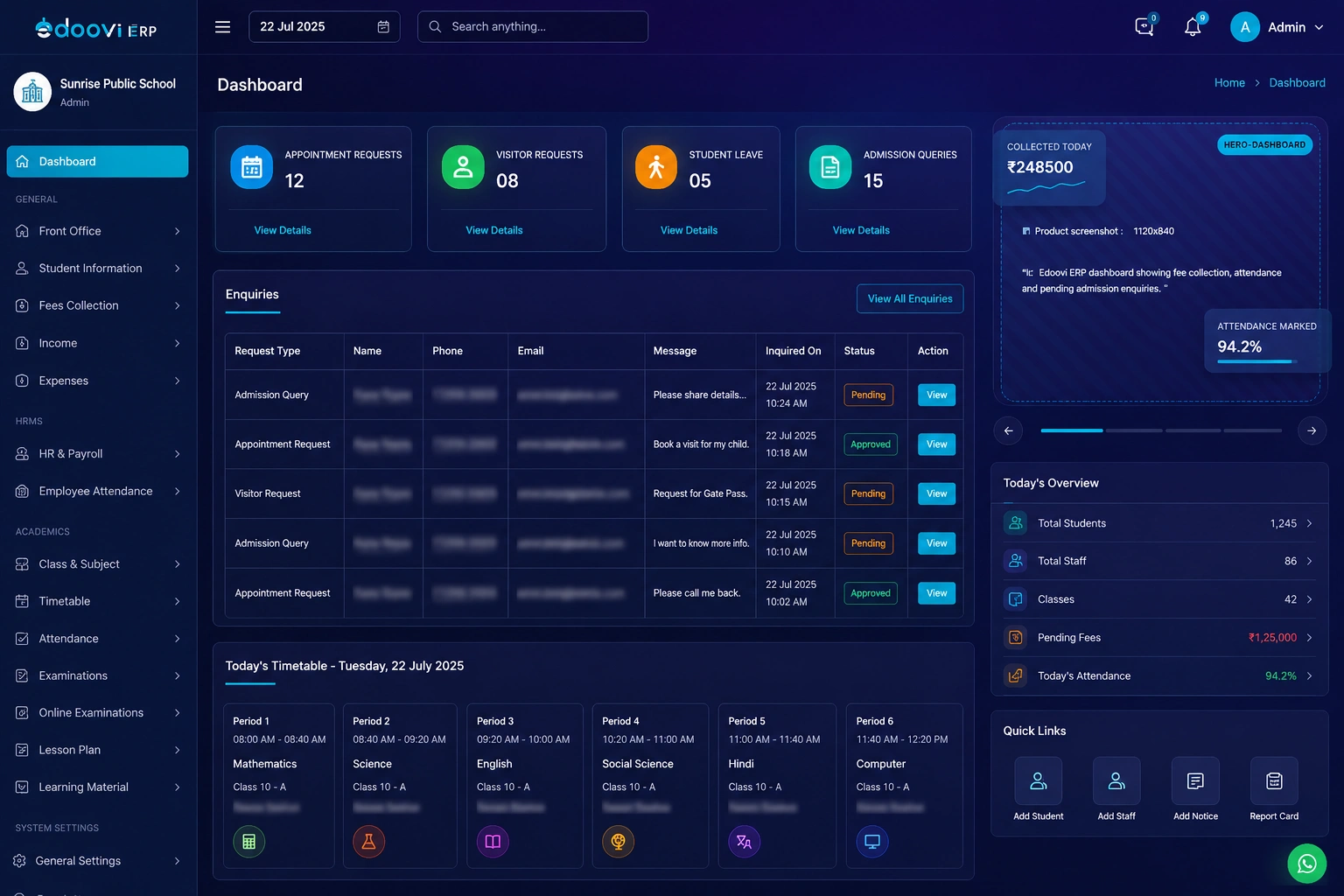
The definition
All three get sold as "school software". They solve different problems, and a school that buys the wrong one finds out in the first fee cycle. Here is where each one stops.
| Aspect | School ERP | SIS | LMS |
|---|---|---|---|
| What it manages | The whole institution — admissions, fees, accounting, HR, transport, library, security, plus academics | The academic core — student records, enrolment, attendance, grades | Teaching and learning — course content, assignments, online classes, assessments |
| Who opens it daily | Director, principal, accountant, front office, teachers, transport, library, gate | Academic coordinator, class teachers, examination staff | Teachers and students |
| Money | Fee heads, concessions, instalments, receipts, online payments, income and expense ledger | Usually not included | Not included |
| Parent-facing | Attendance, dues, results, circulars, bus location — in one app | Marks and attendance, if a portal is offered | Coursework and submissions |
| What Edoovi ERP is | Yes — this is the product | Included. The student record is the ERP's own core, not a separate system | Partly. Online classes, e-learning, homework and syllabus are in the Accelerator plan; it is not a full LMS |
Short version: a school ERP is the wider system, and a student information system is one part of it. If fee collection, accounting and transport are on your list, an SIS alone will not cover them.
Schools already running on Edoovi











How an ERP differs
Separate software for fees, attendance and exams means the same student exists three times, and the three copies stop matching by the third month. A school ERP keeps one record and lets every feature read it.
The enquiry converts to an admission. Name, class, section, parent contact and previous school are typed one time.
The fee heads for that class attach themselves. Concessions and instalments sit on the same record.
Attendance writes to the record, not to a register. The cumulative percentage is a read of it, not a second sheet.
Marks post against the same student. Marksheets, ranks and the report card are generated from what is already there.
A transport allocation adds a route and a stop. Route-wise fees and bus messages follow the same allocation.
The TC carries the conduct and attendance the record already holds. Nothing is re-entered to produce it.
What is inside
These are the screens your staff open, not a feature list. Each one has its own page with the fields it holds, the flow it follows and the reports it produces.
Who opens it
Role-based access is not a settings page you configure later — it is how the system is built. The gatekeeper logs visitors, the accountant closes the day, and neither can open the other's screen.
The plan column is the point at which a role becomes available, not a limit on how many people hold it. Every plan includes the parent and student app.
Built for India
Most school ERP software is adapted for India after the fact. These are the places you notice the difference — the forms already match yours.
Transfer, bonafide, character and experience certificates, generated from the record with conduct and attendance already on them.
Registration details for classes IX and XI, admission and UDISE numbers, affiliation number and Aadhaar fields — as fields, not as a notes box.
Session dates are set per school, and previous-session records stay readable after the roll-over.
Fee heads per class, concessions, instalments, late fees, and cash, cheque, UPI or net-banking receipts against the same ledger.
Classes, sections, subjects, exam pattern and grading scheme are set up per school, so CBSE, ICSE, State Board and international curricula run on the same system.
Records are held on servers located in India, which is the answer a school needs when a parent asks where their child's data lives.
AI inside
Not one feature with the word AI on it — four unrelated pieces of work that each used to take a person the better part of a day. All four are in the product now.
Timetable
Set the periods, the breaks and who teaches what — once. Every class-section timetable is generated against those constraints with no teacher double-booked, and any single period can still be moved by hand afterwards.
Attendance
Students and staff are recognised at the gate or in class. The cumulative percentage updates itself, and the low-attendance alert reaches the parent without anyone remembering to send it.
Transport
Live GPS on every route, and a stop-wise estimate in the parent app rather than one arrival time for the whole route. Sold on its own to schools that want the tracking without the rest of the ERP.
Reports
Type what you want to know instead of assembling it from filters, and get the trend alongside the number — so a dip in collection reads as a direction, not as a figure you have to compare by hand.
On the phone
Two apps, both live on Google Play and the App Store. The parent app is not an add-on — it is in every plan, with no per-parent charge.
Attendance before second period, dues without a phone call, results the moment they are declared, and the bus on a map on the way home.
Included in every plan, Android and iOS
Approve leave between classes, check the day's collection on the way to a meeting, send a circular from the assembly ground.
Every role opens on its own screen
What you can see
Every report filters and exports. More to the point: cancelled receipts stay visible, each transaction records who processed it, and a closed fee period can be locked so last year's numbers cannot quietly change.
Collection, dues, defaulters, concessions, instalments, receipts and cancellations — by class, section or date range.
Daily, monthly and cumulative, by class or by student, with the low-attendance list ready to send.
Strength, category, transfers, admissions by source, and the eight-tab profile in full.
Route-wise students, stop-wise lists, route fees and vehicle allocation.
Issued, overdue, damaged, and fines outstanding.
Staff, exams, certificates and the whole-school MIS view.
Trust
A school ERP holds minors' names, addresses, phone numbers, photographs, health notes and fee histories. Under India's Digital Personal Data Protection Act that is the school's responsibility — so these controls are built in, not optional extras.
Every record — student, staff and financial — is held in Indian data centres.
A gatekeeper, a class teacher and a director each see only what their role permits, and nothing beyond it.
Fee discounts and receipt cancellations sit behind an OTP, so no single person can quietly reverse money.
Every receipt records who processed it and when. Cancelled receipts stay in the ledger instead of disappearing from it.
Fee periods and exams can be locked once closed, so last year's numbers cannot be edited after the fact.
The parent app is scoped to that parent's own children. There is no directory of other families inside it.
Getting started
How long setup takes depends on your size and the state of your current records — so we look first and commit after, rather than quoting a number we would have to walk back.
Registers, Excel sheets or an older ERP — whatever the records live in today. We go through it with you before promising a timeline, because the data is what decides it.
Classes and sections, subjects, fee heads and instalments, exam pattern, bus routes, staff roles and certificate formats — set up to match how your school already works.
Student records, parent contacts, fee structures and previous-session results are imported and checked against your own registers before anyone starts using the system.
The accountant, the class teacher and the front office each learn their own screen. Nobody sits through training for a feature they will never open.
Usually fees and attendance first, because those two pay for themselves fastest. The rest follows once the first is running.
Questions
The ones schools actually ask before a demo. If yours is not here, message us on WhatsApp — it reaches the people who build the product, not a queue.
The separate registers, spreadsheets and single-purpose tools a school runs in parallel — the admission pad, the fee book, the attendance register, the marks sheet and the transport list. School ERP software is one system that runs a school's day-to-day operations — admissions, fee collection, attendance, exams and results, timetable, transport, library, staff records and accounting — on one shared student database. Because every feature reads the same record, a student admitted once appears in the fee ledger, the attendance register and the transport route without being entered again.
A student information system holds the academic core: student records, enrolment, attendance and grades. A school ERP includes that and adds the operational and financial side — fee collection, accounting, payroll, transport, library, inventory and visitor management. An ERP is the wider system; an SIS is one part of it.
Edoovi ERP has 18 features: admissions and enquiry, student records, fees and online payments, attendance, exams and results, timetable, communication, staff and HR, transport, library, accounting, reports, transfer certificates, ID and admit cards, marksheets and certificates, visitor and security, homework and syllabus, and online classes and e-learning.
Yes. Edoovi ERP runs in the browser with no software to install on school computers, and both mobile apps are published on Google Play and the App Store. Schools reach it from any device with a login, and data is stored on servers located in India.
Yes. Existing student, staff and fee records are imported from Excel sheets or an older ERP before the school goes live, and the imported data is checked against the school's own registers before anyone starts using the system. Nothing has to be re-typed by hand.
Yes. Classes, sections, subjects, exam pattern, grading scheme and certificate formats are configured per school, so the same system serves CBSE, ICSE, State Board and international curricula. Session dates can be set to April–March or May–April, and CBSE registration fields for classes IX and XI are built in.
Setup time depends on the size of the school and the state of its current records rather than on the software. The process is the same in every case: existing records are reviewed, the school's classes, fee heads and certificate formats are configured, data is imported and checked, staff are trained by role, and the school goes live one feature at a time.
No. The parent and student app is included on Android and iOS in every Edoovi ERP plan, including the Stepper plan. Parent access is never a separate line item, and there is no per-parent charge.
Start free
Bring one class across, collect a term's fees, mark a month of attendance and send a circular. Thirty days, every feature unlocked, on your own students and your own fee structure.