
On Android and iOS

Two school apps: one for the family, one for the staff room

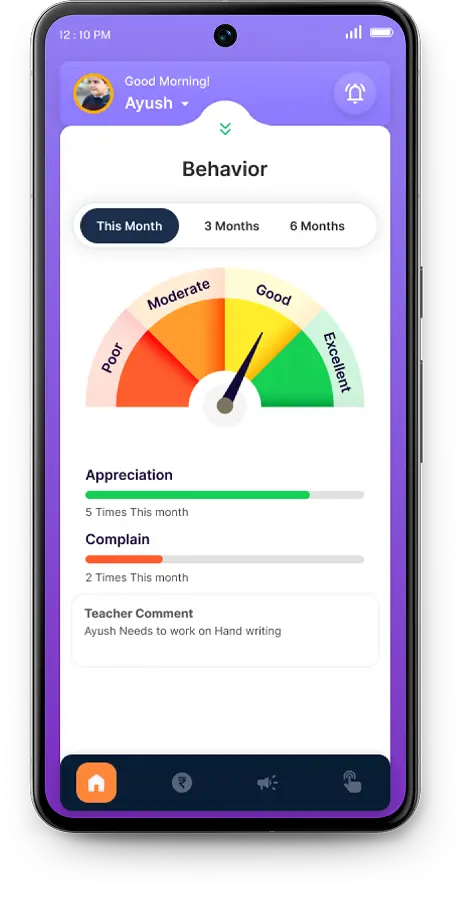
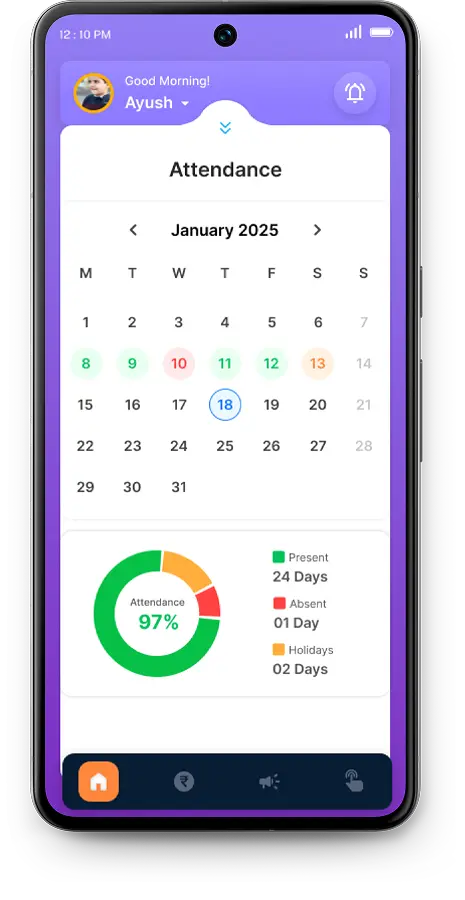
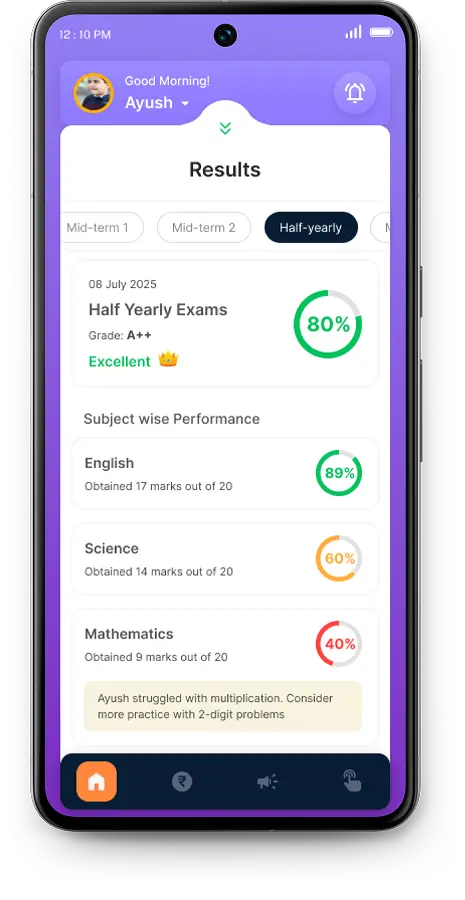
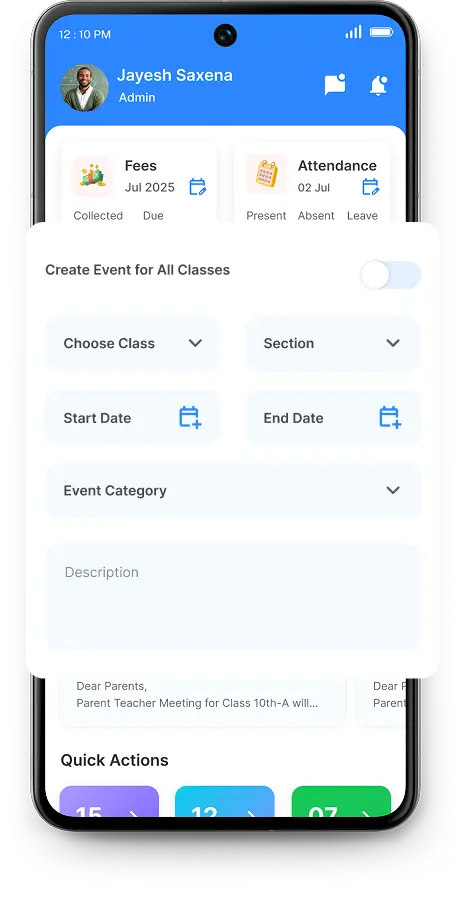
Edoovi ships two mobile apps. The parent and student app carries attendance, fee dues, results, circulars and live bus tracking. The school app gives staff and management their own role screen. Both are on Android and iOS, and both are included in every plan.

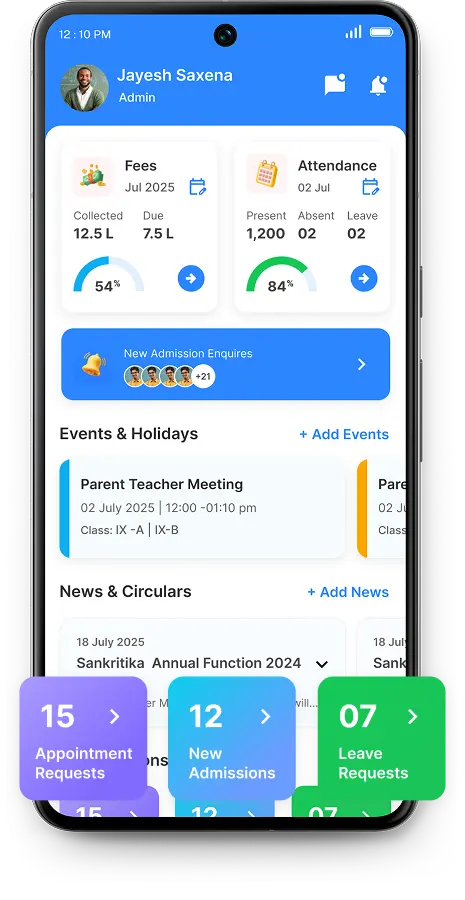
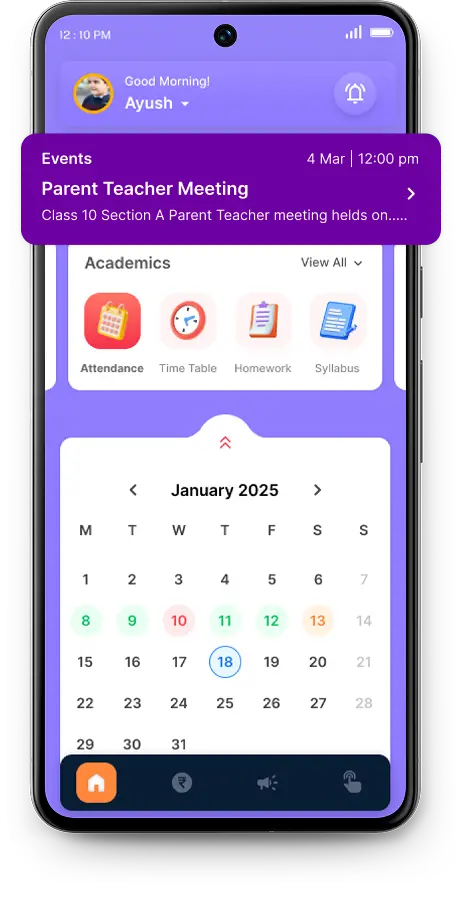
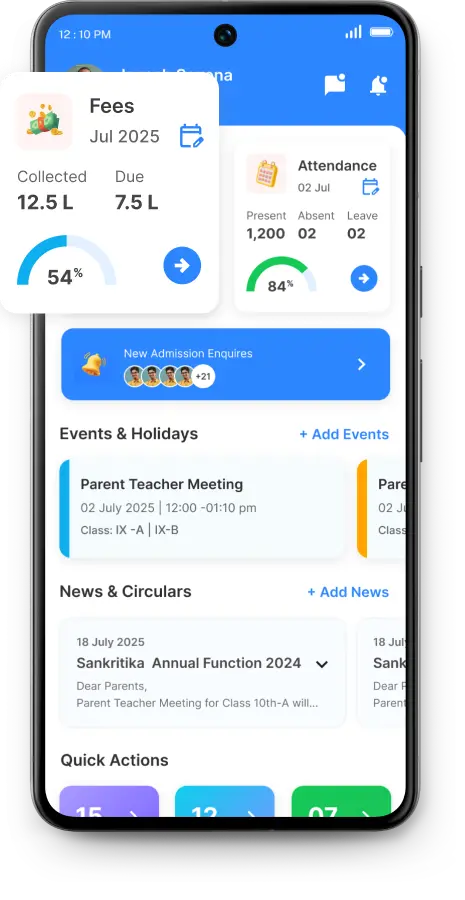
The Edoovi parent app showing school alerts and teacher messages The Edoovi school app showing the day's fee collection and attendance

The two Edoovi apps

For families

Parent & Student App

Everything a parent used to phone the office about — attendance before second period, dues without a call, results the moment they are declared, and the bus on a map on the way home.

  • Attendance and leave
  • Fee dues and online payment
  • Results and marksheets
  • Circulars, calendar and gallery
  • Live bus tracking

For staff and management

School App

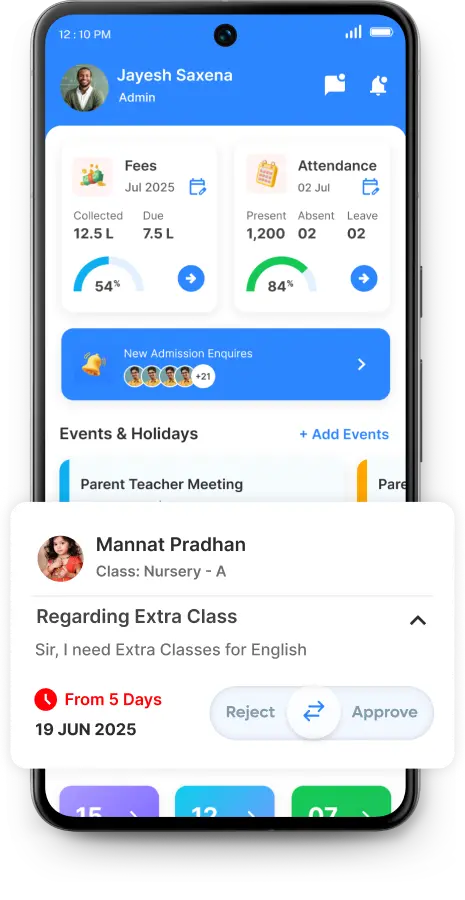
The school running from a phone in the corridor. Approve leave between classes, check the day’s collection on the way to a meeting, send a circular from the assembly ground.

  • Fees collected, due and defaulters
  • Attendance at a glance
  • Events and holidays
  • Concerns and requests
  • Own screen per role

Actual screens

Eight screens, both apps, nothing mocked up

These are the shipped screens, not illustrations of them. Drag the rail sideways, use the arrows, or the arrow keys once it has focus.

  • Notifications & chat in the Edoovi Parent app
    Parent Notifications & chat School alerts, priority reminders and teacher messages in one feed.
  • Real-time attendance in the Edoovi Parent app
    Parent Real-time attendance Daily marking, absence and leave, with the running percentage.
  • School announcements in the Edoovi Parent app
    Parent School announcements News, notices and the calendar, straight to the phone.
  • Timetable in the Edoovi Parent app
    Parent Timetable The day's periods, homework and syllabus for the child's own class.
  • Fees management monitor in the Edoovi School app
    School Fees management monitor Collected, due and defaulters for the day, without opening a ledger.
  • Event & holiday scheduler in the Edoovi School app
    School Event & holiday scheduler Recurring or one-off events, shared with every class at once.
  • Request action centre in the Edoovi School app
    School Request action centre Leave, gate passes and permissions in a single queue.
  • Concern & suggestion box in the Edoovi School app
    School Concern & suggestion box Parent concerns and appointment requests, answered in the app.

Parent & Student App

Six calls the office stops taking

Included on Android and iOS in every plan, with no per-parent charge. One login covers every child that parent has in the school.

  • Was my child marked present?

    Attendance before second period, with the running percentage and any leave already applied.

  • How much is still due?

    The live balance with its receipt history, and UPI or net banking to clear it without coming in.

  • Have the results come out?

    Marksheet, rank and subject-wise performance the moment the exam is declared.

  • Where has the bus reached?

    The route on a map with an arrival estimate for the child's own stop, not for the whole route.

  • What was the circular about?

    Circulars, news, the school calendar and the gallery in one feed instead of a forwarded message.

  • Can I speak to the teacher?

    Concerns, appointment requests and gate passes raised in the app and tracked to an answer.

School App

The half of the product the old site never showed

The school app is published on Google Play and the App Store, and every role opens on its own screen — a class teacher, an accountant and a gatekeeper see three different first screens.

  1. In the corridor Approve a leave request between classes without going back to the office.
  2. On the way to a meeting Today's collection, dues and defaulters, before you walk in rather than after.
  3. At the assembly ground Send a circular to a class, a route or the whole school from a saved template.
  4. At the gate Log a visitor, issue a gate pass, and check who is still inside.
  5. In the staff room Mark a class, enter marks, and see what is pending for the subjects you teach.
  6. Anywhere at all Concerns and appointment requests from parents, in one queue with a status.

Side by side

Which app does what

Both apps read the same student record. What differs is who is allowed to change it — a parent can see attendance, a teacher marks it.

Features available in the Edoovi parent and student app compared with the Edoovi school app.
Feature Parent & Student School
Daily attendance Yes Yes
Mark attendance No Yes
Fee dues and history Yes Yes
Pay fees by UPI / net banking Yes No
Collection and defaulters No Yes
Results and marksheets Yes Yes
Enter marks No Yes
Circulars and calendar Yes Yes
Send a circular No Yes
Live bus tracking Yes Yes
Leave and gate-pass approval No Yes
Raise a concern Yes No
Visitor log No Yes

The rollout

Four hundred parents, not four hundred setups

  1. Records first

    Logins exist as soon as the student record does. Nothing is created parent by parent.

  2. Sent in bulk

    Credentials go out over SMS or WhatsApp to the whole class or the whole school at once.

  3. One per family

    A single login covers every child that parent has in the school, and the app switches between them.

  4. Both parents

    A second login can be issued for the same children where the school wants both to have access.

And if a parent has no smartphone Nothing in the system depends on the app. Fee reminders, attendance alerts and circulars also go by SMS, and the office can print any receipt or report on request. The app removes phone calls — it never becomes a requirement.

App questions

What schools ask before rolling it out

Is the Edoovi parent app free?

The parent and student app is included in every Edoovi ERP plan on both Android and iOS. There is no per-parent charge and no separate line item — parents download it from the store and sign in with the credentials the school issues.

What is the difference between the two Edoovi apps?

The parent and student app is for families: attendance, fee dues and payment, results, circulars and live bus tracking. The school app is for staff and management, and opens on the screen for that person's role — a class teacher sees marking, an accountant sees collection, a gatekeeper sees visitors.

Do parents need a smartphone for each child?

No. One parent login covers every child that parent has in the school, and the app switches between them. A second parent can be given their own login for the same children where the school wants both to have access.

Can parents pay school fees from the app?

Yes. Fees are paid by UPI or net banking from inside the app, and the receipt is issued against the same ledger the school office uses. A payment made at home is visible to the office before the parent reaches the school.

Does the app show live school bus tracking?

Yes, where the school has transport configured. The route appears on a map with an arrival estimate for the child's own stop rather than one time for the whole route.

What if a parent does not use a smartphone?

Nothing in the system depends on the app. Fee reminders, attendance alerts and circulars also go by SMS, and the front office can print any receipt or report the parent asks for. The app removes phone calls; it does not become a requirement.

How do parents get their login?

The school issues credentials from the admin panel once the student record exists, and they can be sent in bulk over SMS or WhatsApp. Nothing has to be created parent by parent.

Both apps, both stores

Download either one and look around

Both apps are free to download from the links above. Signing in needs credentials from a school already running Edoovi — book a demo and we will set you up on a sample school so you can go through it properly.

Talk to us